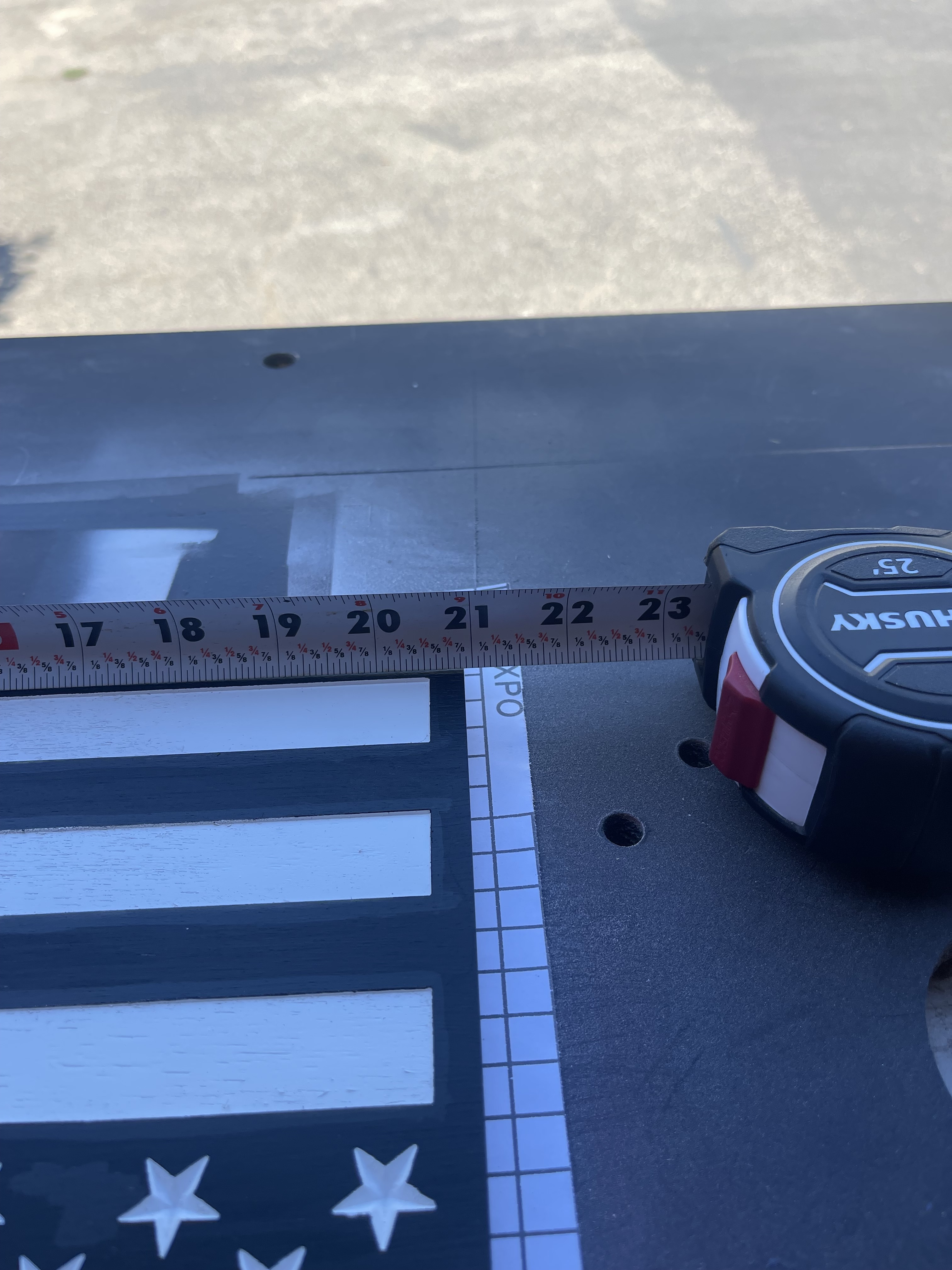
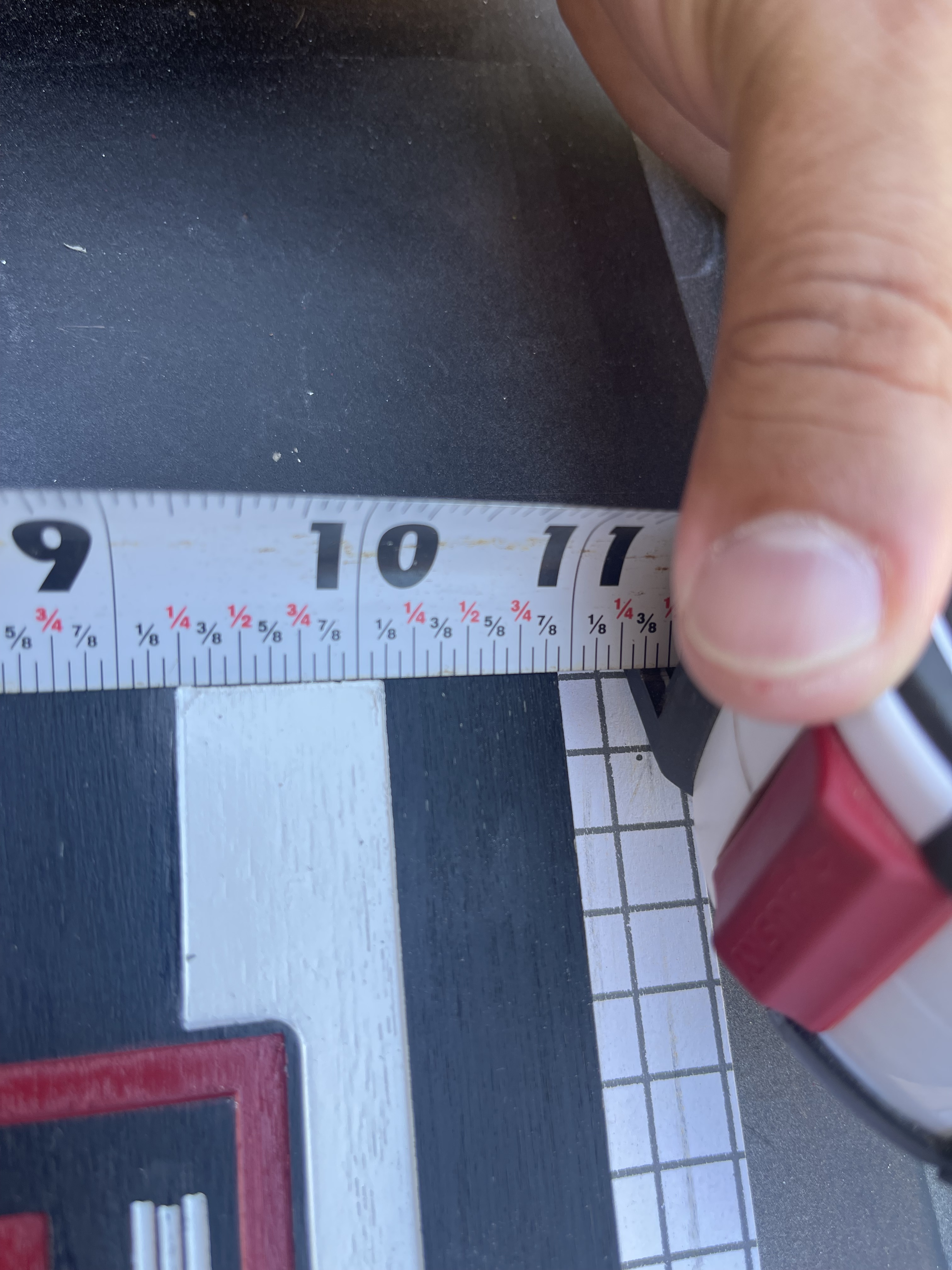
So after getting all my axis’ figured out and tramming done I discovered my X and Y cuts are a little off as in the measurements for cutouts are slightly smaller than what I input for cutout dimension in CC. So my X was 3/32” smaller and my Y cut was 1/16” smaller than the dimensions I put in CC for my cutout. And I verified the cutout tool path is for the outside cut so it should have measured 21x11 as the final cutout pass. Any ideas? I could offset my cuts to compensate for the deviation but I was more curious if there was a better way or just to keep adding the offsets to dial in a more accurate cutout? Thanks for the feedback.
Yeah so I have seen this before and I was a little lost as to what to do. So would I be cutting 2 strips overlapping it looks like or am I cutting 1 strip and flipping the board counter clockwise and seeing if it runs the same without taking any more material off?
I am using Baltic birch plywood. I am going to run another flag and make the offset a little bigger to compensate for the cut as a temporary fix. My cuts are parallel with each other so the measurements in the photos are the exact same on the opposite sides and the two flags I did are the same exact size.
Thanks, are you cutting the outside profile cut with a roughing pass leaving some stock (0.05” to 0.08”) for a final finishing pass? If not, depending on your feeds/speeds can result in measurements you’re seeing.
No I am just sending it. I am pretty sure I dialed it back to the recommended default for the 1/8 end mill that CC has in the library because I had some faster speeds and wanted a cleaner edge. I will check when I get home and get back to you. Thanks.
I should have also asked if the bit was cutting the width of its diameter for your final cut? Cutting a roughing pass first allows more stock removal typically but also can result in more deflection especially on smaller diameter bits. If you come back for a finishing pass the bit has less total surface engagement and this helps minimize deflection at any speeds. Your feeds need to be managed with smaller bits for sure.
Ok so I should go with the default 45 IPM for the 1/8” end mill and see if that works? Also it had the DOC at 0.03 instead of the 0.07 I was running this one at.
It’s always good to start with default speeds, once some practice cuts are made you can adjust if needed. It was awhile before I started tweaking the feeds/speeds, this allowed me to learn and understand the machine better. Once I was comfortable with the normal workflow operation I started to speed things up on material I had experience on. New material, back to defaults.
The faster feeds and deeper the cut on any bit will move you closer to deflection, the amount of deflection depends on the stock material (maple or balsa), length of bit external of the collet and your speeds and feeds. I would suggest you cut some sample pieces out of the actual material the final product is made of and determine what works best for the specific combination. Even different batches of Birch Plywood can change the outcome, especially when you get below 1/4” diameter bits.
I’m still not clear if you plan on a roughing pass first and a finishing pass last?
Yes so my design portion came out just fine with a rough and final pass. I am going to flip and see if the bottom portion came out in a different dimension from the top. Maybe my .490 stock was rounded over from the taper on the 1/8 bit since the cutting length is 0.5”. I will have to check when I get home today. If that’s the case I could try with the 201 end mill for the cutout.