Did you download the 1M data and review that ?
Looks like it’s “most” of the US, just don’t look at Oregon. https://www.reddit.com/r/gis/comments/1qg75l6/usgs_now_has_1m_dem_covering_most_of_us/
Yep, that will do it.
@n8zwn and @TheWoodworker ,
Thanks for pointing this out. I could be misunderstanding, but if you are referring to those grid lines, that happens when you:
a) select a region that does not have extremely high quality data like 1M data.
b) have selected a region small enough to have those grid lines.
It is the same effect as zooming in on an image enough so that you start to see the pixels.
If you were to select the same area, but select a larger region, those lines who not be recognizable.
I could be wrong in what you’re referring to.
Let me know and thanks for the feedback, everyone!
Also,
I need to look into why 1 meter data is not being pulled in when it should be!
1 Like
Those lines show up irregardless in that area for me @mlembke1
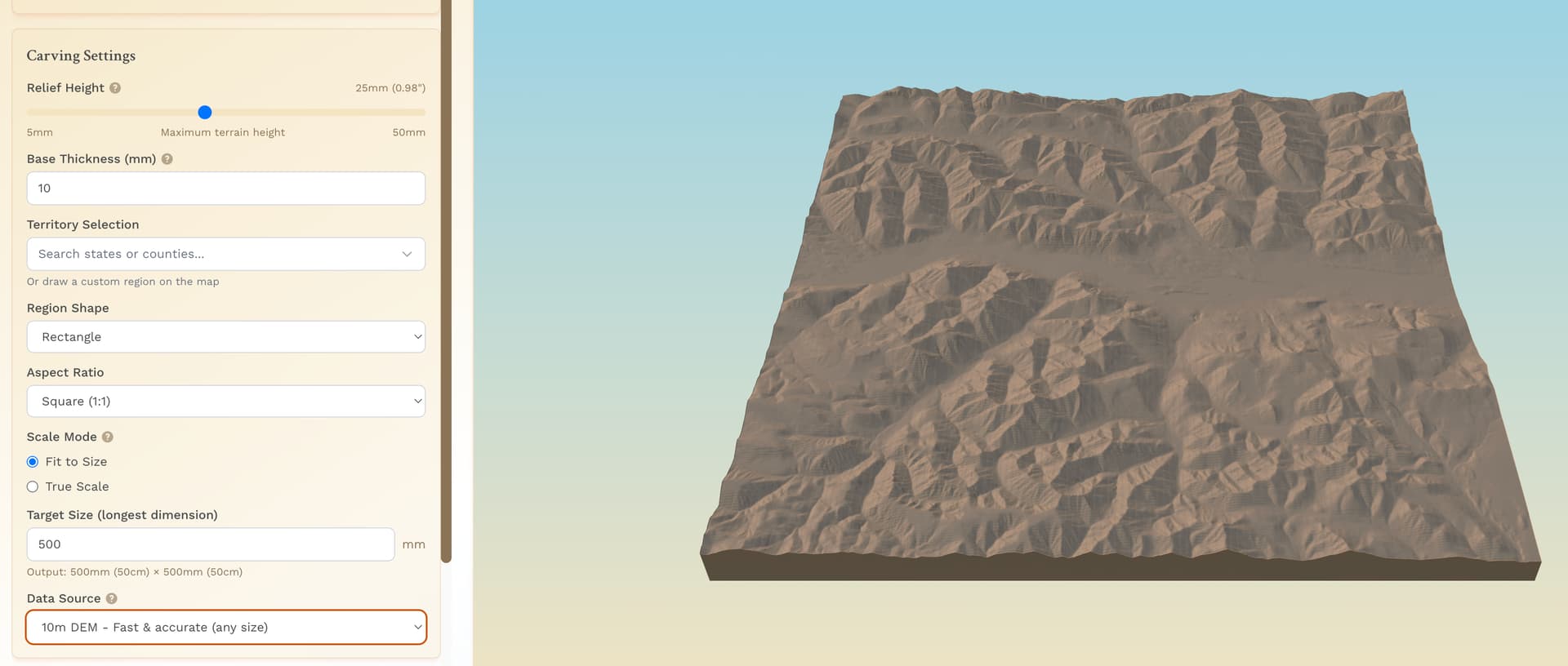
Maybe you are saying pick a larger area and then just cut to the area I want? The only reason I am trying to get the detail is because it is a memory for a friend for backcountry hiking. The more I select, the less apparent it is for them.
Are there any post processing tricks I can do to remove the lines after the fact?
What CAM system are you using ?
Use the largest ball end mill that contacts a high percentage of the mesh.
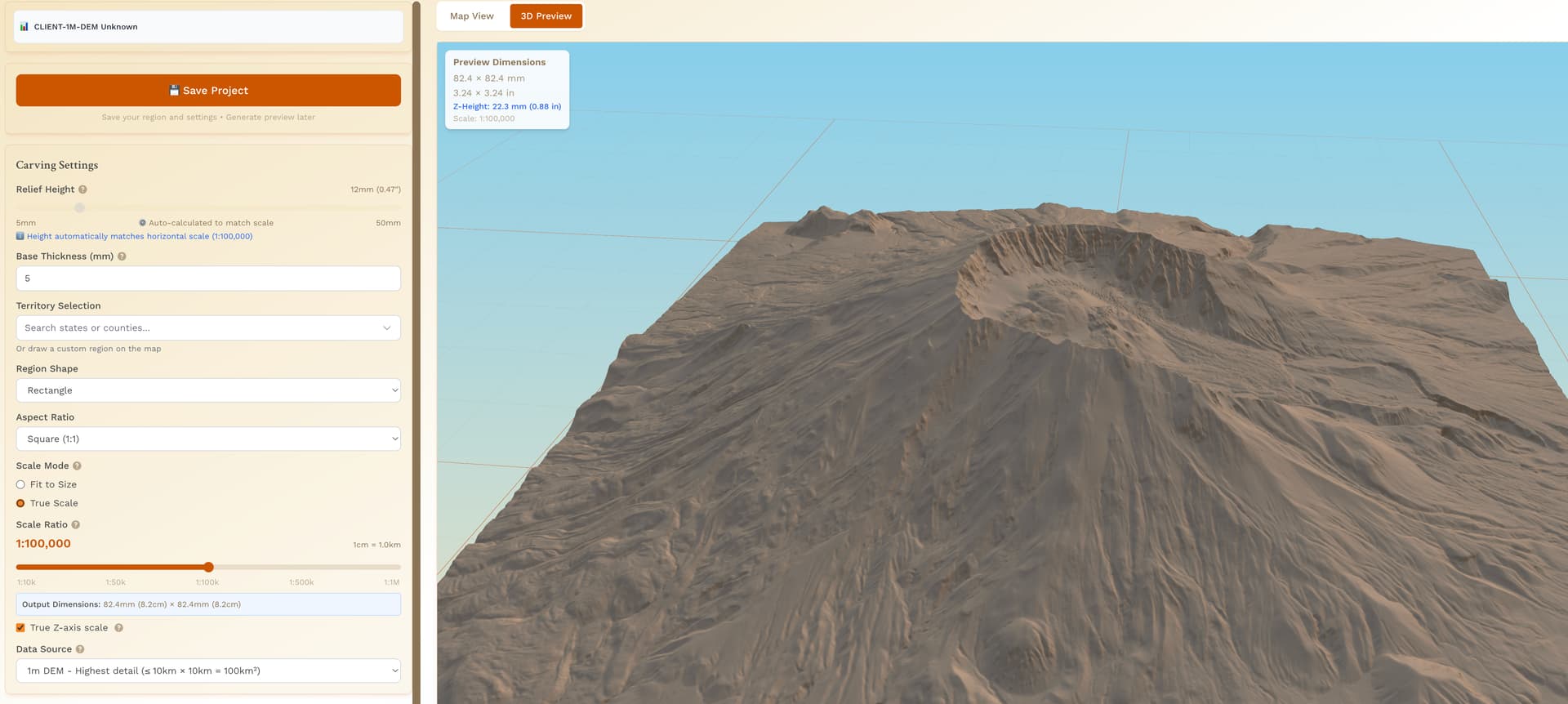
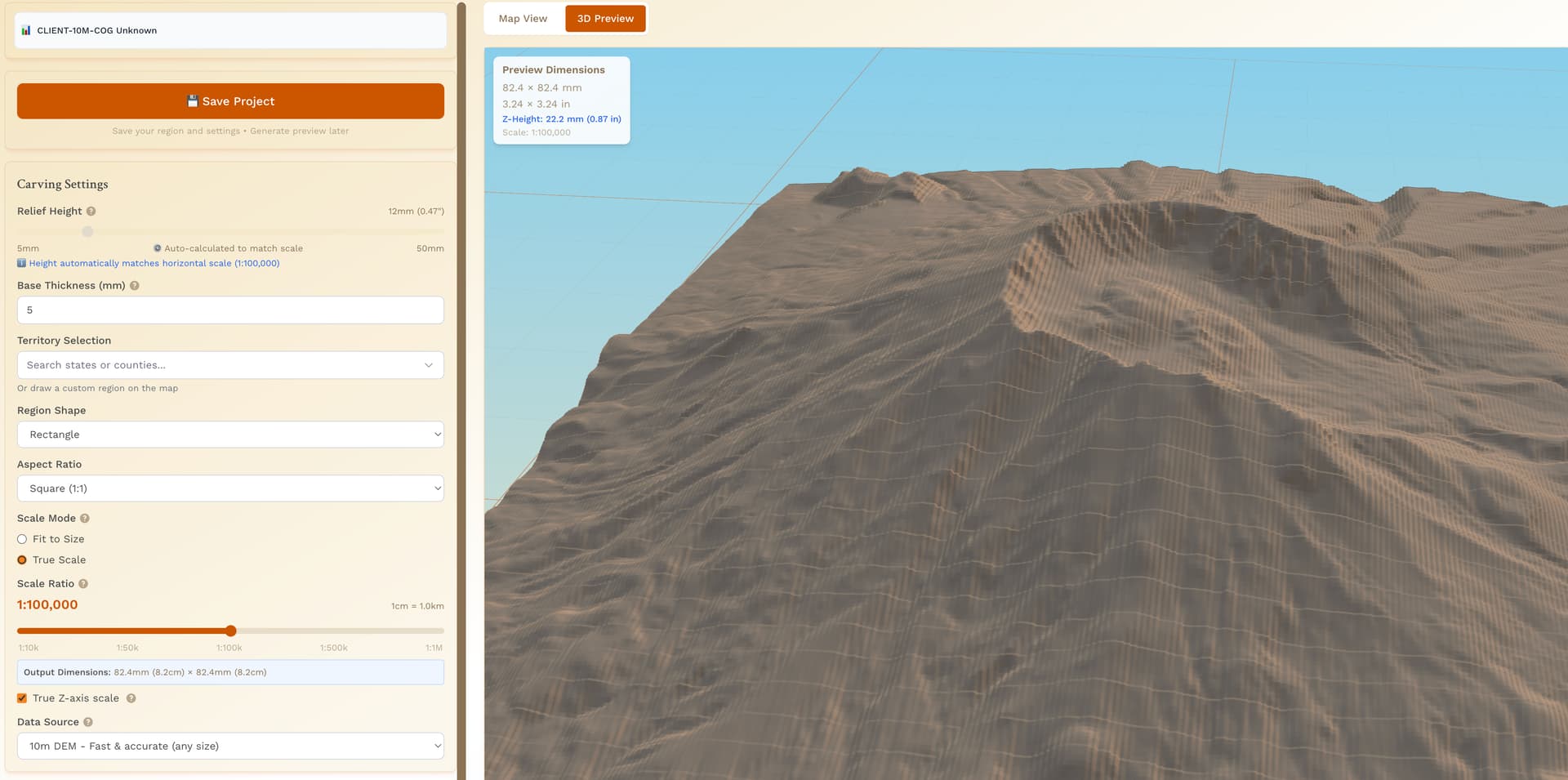
Anytime you see that jagged mesh in the rendering, it’s indicative of the 10m source data. You can see it in these two screenshots, exact same area, just 1m vs 10m. I’ve done more poking around the map in random places where there should be 1m coverage and sometimes the page just doesn’t render 1m data (based on 3D render and data source indicated on the webpage), or it renders incomplete data like the third image.

1 Like
@TheWoodworker & @jtclose & @n8zwn ,
Thank you for all of this feedback!
I am currently performing an audit on the codebase for fetching 1 meter data.
Respectfully,
Mitch
2 Likes
Thanks for the info, certainly helpful in diagnosing the issue presented.
I just noticed the extra features on the site like grabbing state outlines and preselected county lines. Very nice.
3 Likes
I tried the State/County option, works great.
2 Likes
Hey everyone, I cannot thank you enough for your support through this whole journey. I started this thread in September 2025. Bugs have been fixed, features have been added, and you all have been a huge support and encouragement for me.
If you feel so inclined, it would really help the project if - when you make a carving - sharing the photos here and/or posting on the FB group. If you don’t have FB, I can certainly post them with your permission and give you the credit, if that is something you would want.
Thanks again for your support!
3 Likes
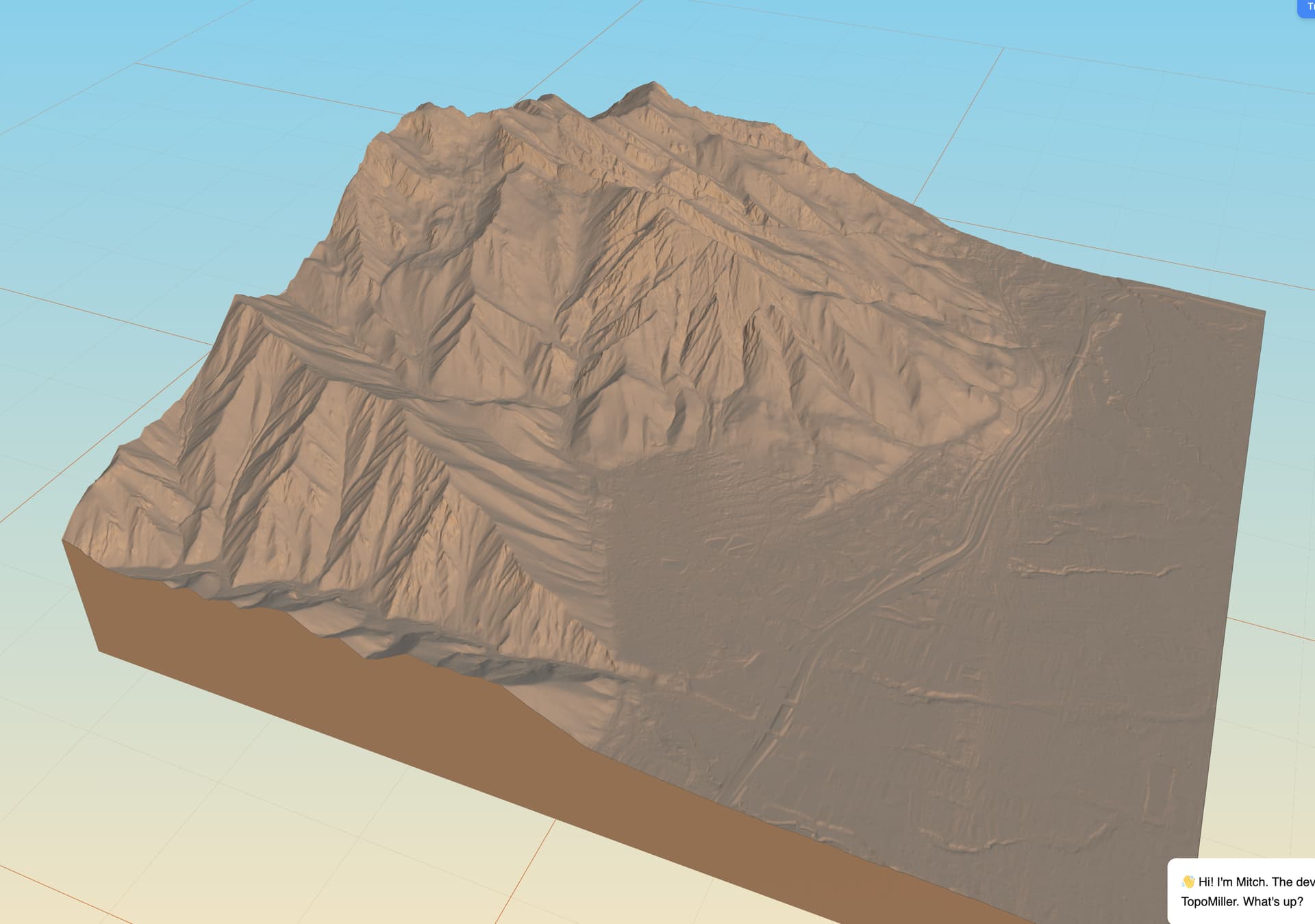
Haha yay! Continuing to iron out the wrinkles.
Working on better performance, but it is tough with 1m data requests.
Thanks for the encouragement!
3 Likes
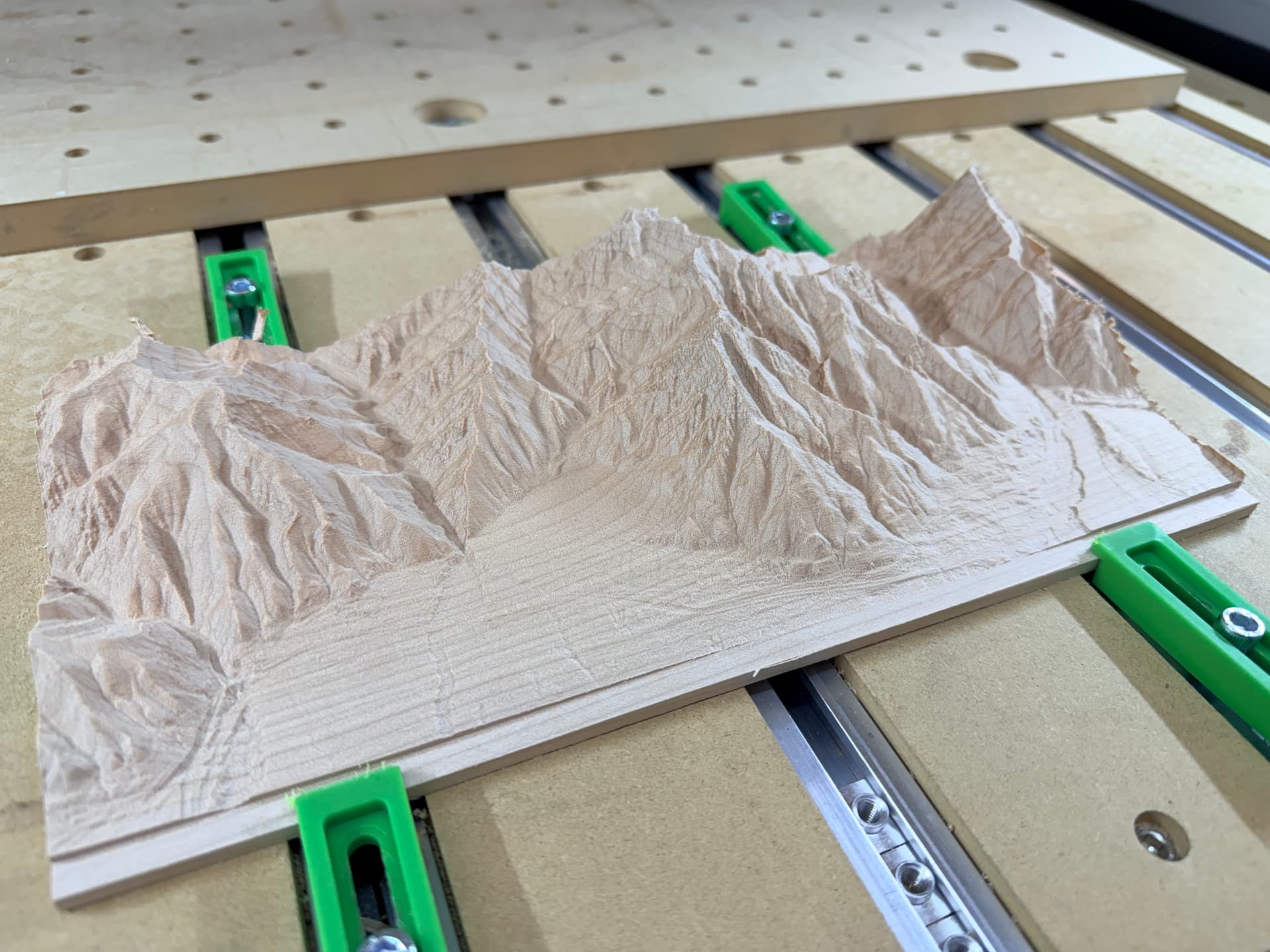
Did a new export on the new 1m data and it turned out fantastic. I was never able to get this region to correctly render in the old code/data.
1/16" ball mill in maple.
14 Likes
Looks great ! What tool path did you use ?
That was a good chuck of wood !
1 Like
I used the conventional 3D rough and 3D finish to do the topographic removal. I used a contour path to give myself the lip on the front and back to grab with the clamps. I’ve noticed that when I mill down these 8/4 pieces of maple they tend to curl a bit due to the material removal.
While it does take longer, I actually run 2 3D finish passes, each 90 degree offset from each other. The first will often leave little fuzzies on the wood and running it 90 degree offset will clean everything up really nice.
2 Likes
I can believe the wood is moving. I had to mill the same outer shelf to keep the piece in place.
Try de-waxed shellac between cuts, makes the fuzzies easier to cut.
2 Likes