LOL. You could almost use this thread as an example of how AI is changing how some people learn and work desperately trying to find shortcuts. You can judge the outcomes.
8 Likes
Hi Paul, thoughts from my own experience (about 3 years w/the Shapeoko 4, not the Pro):
- if I’m unsure how a toolpath is going to run, I paste it into NC Viewer, which lets you run the toolpath back and forth. It doesn’t model the cut, nor understand the tool choice, but can be very helpful for previewing a long/weird cut.
- dust protection for the bearings is king. I have a video on this forum about disassembling the bearings, a big pain as you’ve found. An accordion-style dust boot all along the rails, especially the X axis, would be awesome. Barring that, I made my own super-deep sweepy using the bristles from a garage door sweep. But if you notice any dust lying on the bearing runs, wipe them down and re-lubricate with Vactra; inspect often.
- the hardest thing for me has been to lower my expectations for always succeeding. Sometimes no matter how hard you try, something goes wrong, and with subtractive manufacturing with wood, one mistake and the piece can be trashed beyond saving. Hope for the best, expect the worst, and be happily surprised most of the time, lol.
Best of luck! --Richard
5 Likes
One of the bits of wisdom which came out of the old Shapeoko forums was:
The great thing about CNC is that given a properly prepared file and nothing going wrong in the setup or cutting, the part will be cut correctly.
The awful thing about CNC is that a part will only be cut correctly if the file is properly prepared and the setup is done correctly and nothing goes wrong in the cutting.
13 Likes
To anyone who is interested in using AI for this:
Please be aware that you can’t ask AI (specifically, a typical LLM) to just generate a gcode file, for a lot of reasons. A good method would be to get AI to use the normal software via computer use.
You shouldn’t automatically assume others don’t know what they are talking about or need very elementary warnings. I was asking the other poster how he uses AI to generate gcode, not stating any opinions about how I would do it myself (my existing fusion plugin does not itself generate gcode). (I’ve delivered at least 1000 FTE-years of software into the universe that does very complex things for/with scientific instrumentation.)
1 Like
Sorry, I wasn’t meaning to come across as condescending or assuming anything. And definitely not targeted at the OP. I’ve edited my comment.
I was just being a fussy jerk, sorry for the overreaction.
I’ll throw my 2 cents in here (being quite late to this conversation it’s probably not even worth a penny). I recall starting out being brand-spanking new to the CNC world and jumped in the deep end, even taking sign orders before I was fully understanding of how to do what I needed to to create the signs I had orders for. Crazy! At times it kind of scared the snot out of me. And if I hadn’t made a large investment I might have cabled it quits.
All that being said, I can honestly say that support was ridiculously awesome right from the beginning. The company is great about taking care of us as the new user, and the machine has been a work horse! I’ve put out approximately 150-200 signs ranging in size from 4x8’ down to 5x14" and never had a hiccup (except for use error on my part) in less than a year and a half. I’m lazy at maintenance too.
All that to say…I wouldn’t give up on your 5pro (same machine I have). Get up with support if you haven’t already. I’ve called them a few times and they answered. Email them (done that too) and they get back to you.
One sure thing I’m taking from this conversation is the AI toolpath idea. I will be trying that out soon.
Here’s to your great success in the CNC creating world! Cheers!
This is the major thing which mystifies me in this — why?
What designs does one want which one can’t get easily as clipart or a public domain image or some combination thereof, or which can’t be easily drawn up?
Once one has the image, why not just make toolpaths using the established capabilities in Carbide Create?
The only thing which one can’t do readily is a fluting toolpath along an angle and that can either be done as a 3D model using the new Angle tool:
or by drawing a suitable shape for a V-carving if one is using a V-tool:
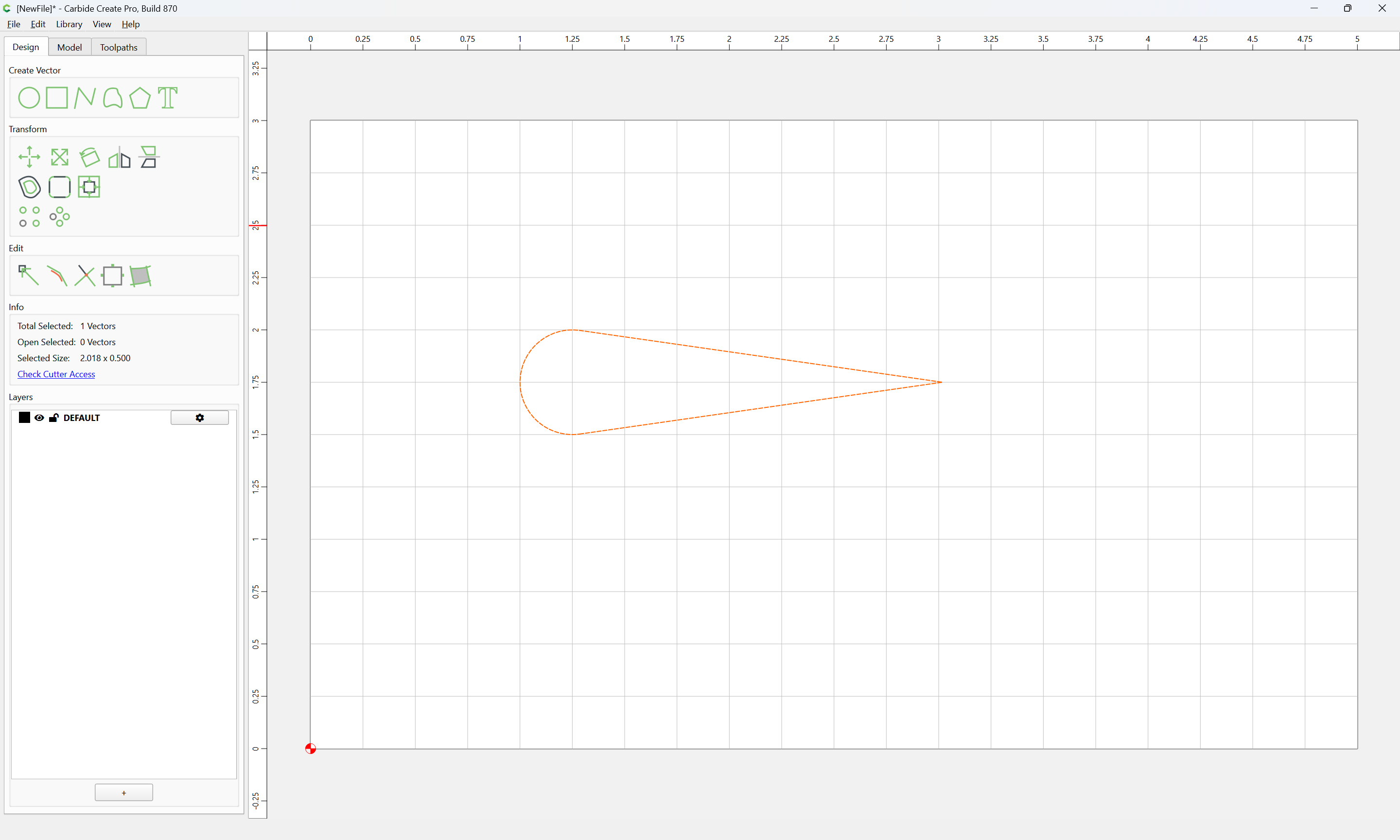
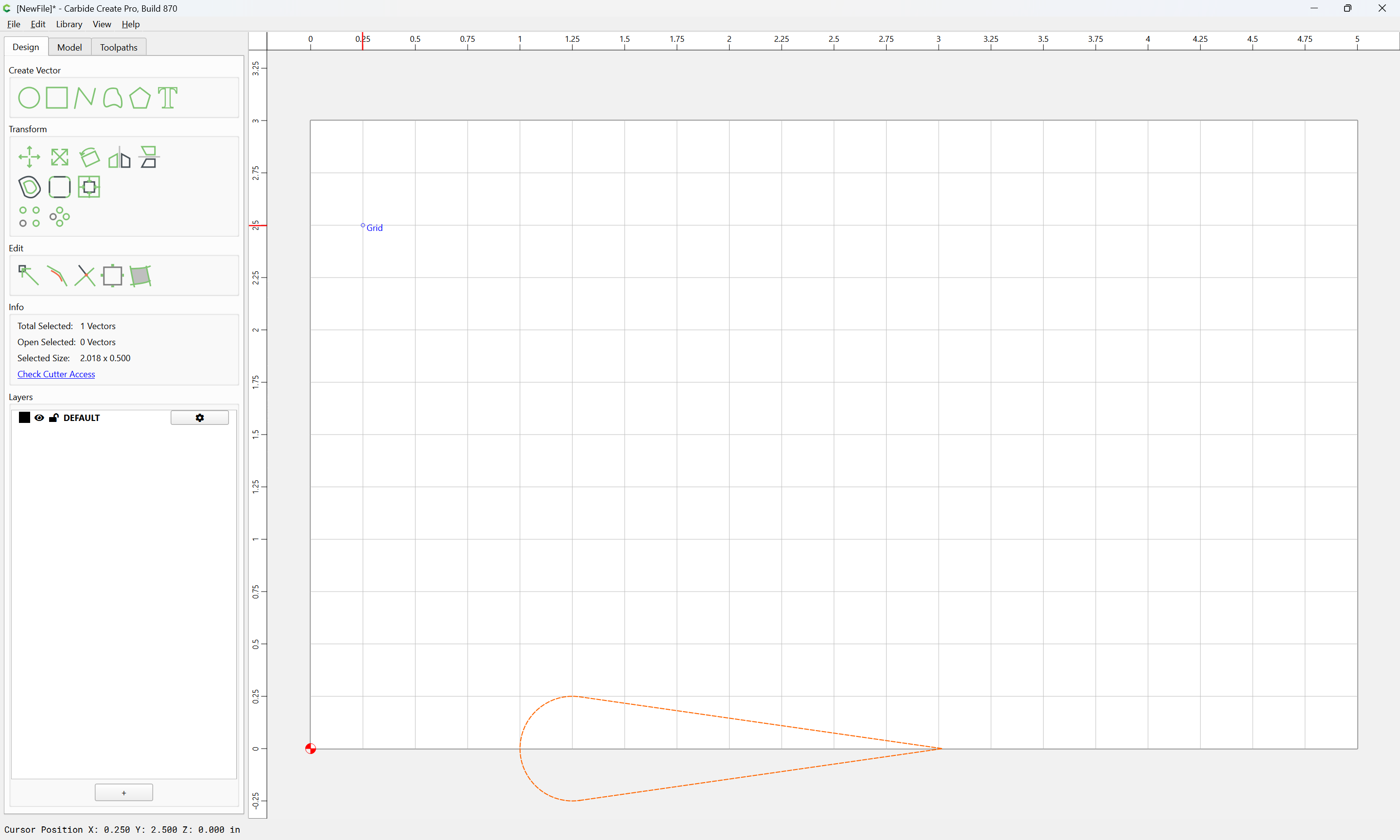
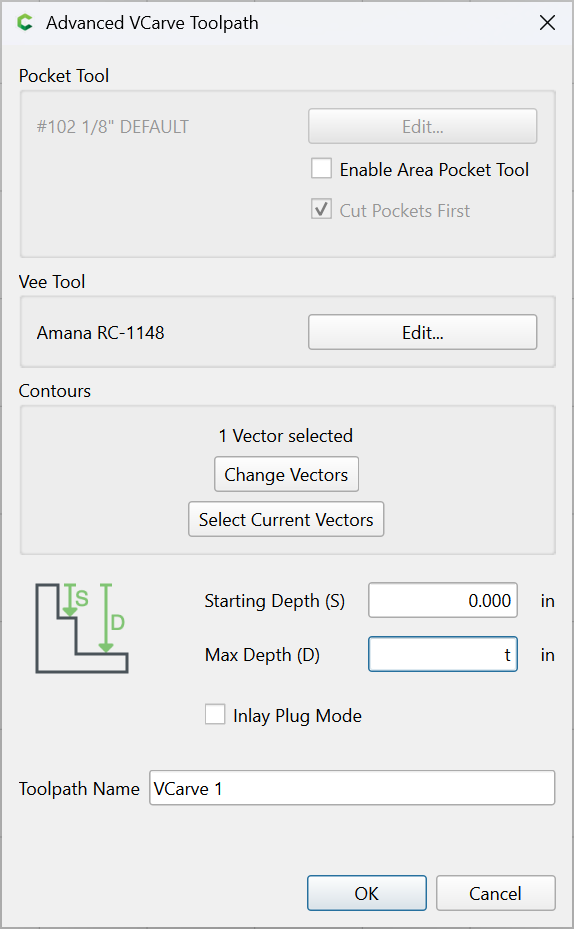
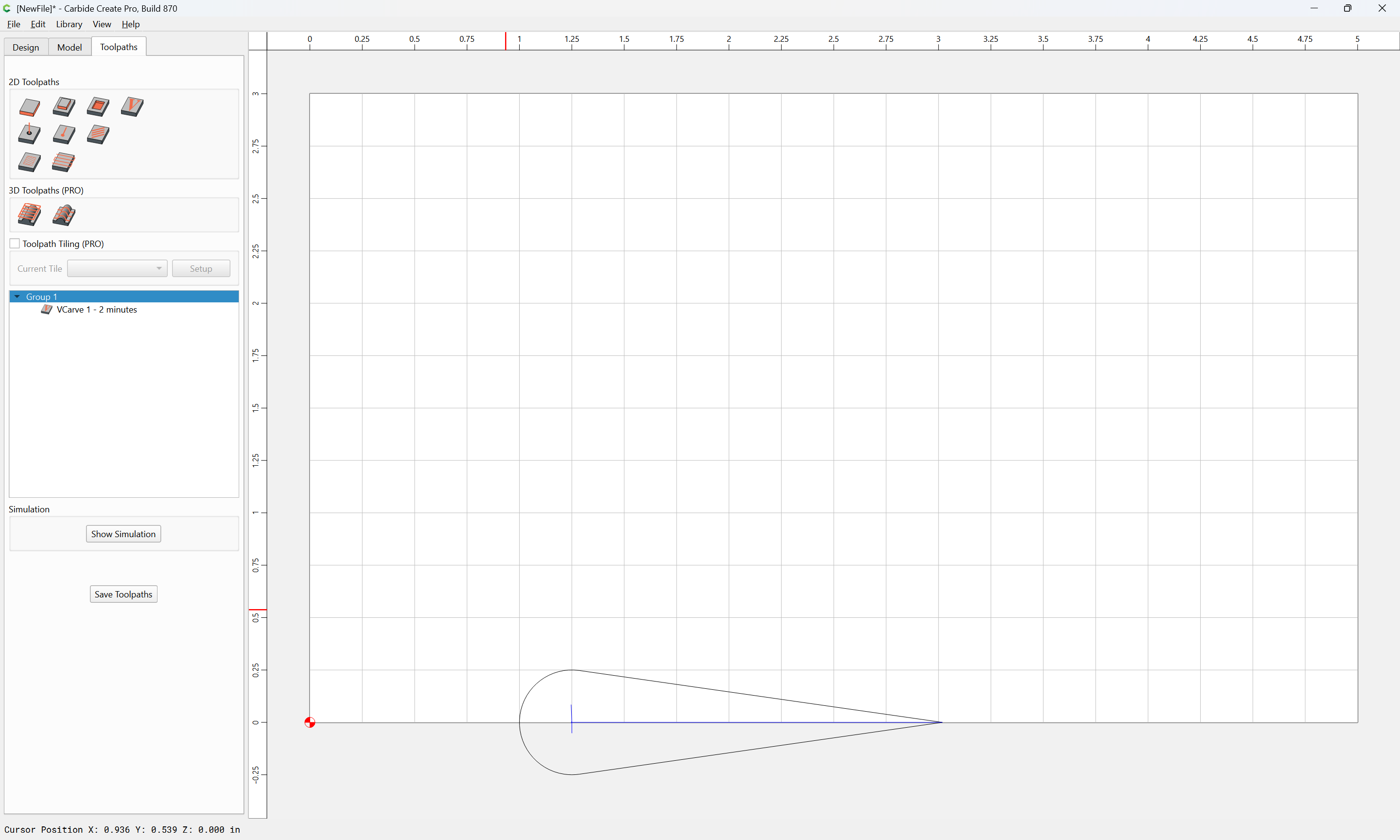
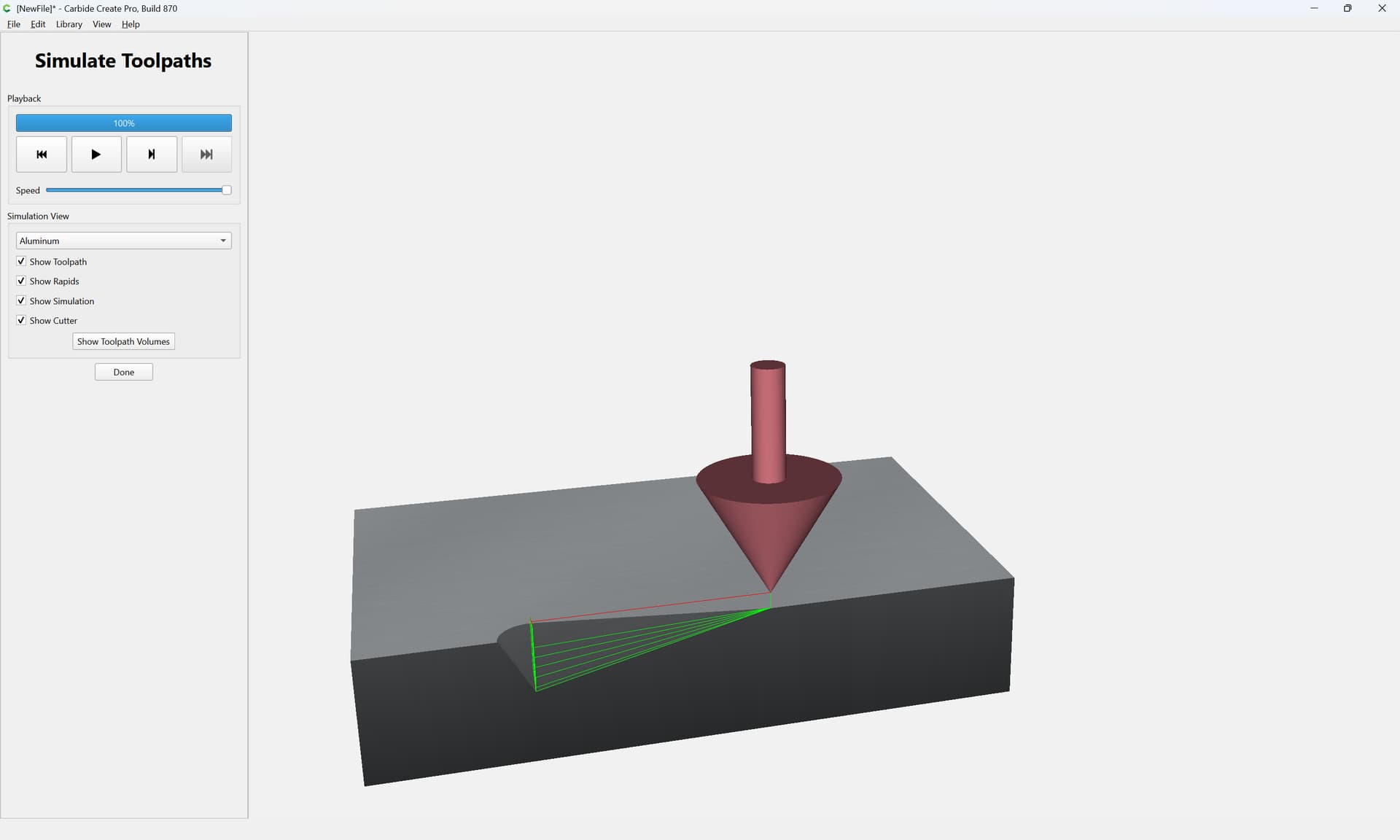
and for feeds and speeds Carbide Create starts with quite sensible defaults and the principles are explained in:
and
(which links have already been posted above)
What capabilities does “AI toolpath generation” afford which make it worth the tokens/electricity/data center footprint?
1 Like
To the question “why” I say I am more of an explorer to see what it can do. If it can assist (which is all that I ever expect and hope AI will and should do), I land there. If it becomes of no use or assistance, then I will avoid it as a tool. A tool that doesn’t improve and help is of no use to me. BUT should it increase my efficiency and output, then that is a tool worth using. It has certainly assisted me in other realms.
Do I love AI… heck no. Just as cell phones have been a double edged sword for my children’s generation, I think AI is the same or more so for this and all mankind. It is here though as an available tool. So I use it where I can.
The thing is, LLMs are compressed lossily, so it is inevitable that there will be errors/hallucinations in the output — a toolpath for a CNC is not something which will tolerate errors without consequences — for what sort of toolpath are the time/effort savings sufficient that they are greater than the effort involved in verifying such toolpaths or the risk to tooling or ruined parts/stock?
6 Likes
I think the practical approach for using AI for this is computer use. Instead of the model producing the gcode directly, it drives the existing software. People are using it with Blender and video editing software in the same way.
This does mean you’re limited to toolpaths the software provides, but the output will be “correct” as long as the toolpaths are properly configured. You also end up with an actual project file instead of just some gcode.
The upside is that AI can operate a lot faster than a human, and can take the boring work off your plate.
The downside is that you won’t learn how the software works, how to do things yourself, or how to figure out and fix an issue, among other things.
That said, the advantages are limited compared to something like video editing or 3D modeling. The AI can construct the toolpaths, but it cannot iterate on them like it can with a video or model. And you would still need to determine the ideal feeds and speeds for your machine and tooling and materials (although you could build up a database that the AI can use).
(Sorry for the essay!)
2 Likes
I’ve used this approach and the results are “OK”. In the end, it saved some effort but it took repeated prodding to step up the quality - “Use fewer line segments and more spline points” for example. This was for tracing something.
After several rounds of prodding, something acceptable came out.
Did it work - well, yeah - it took quite a bit of iteration. In this case, it was probably equal to me drawing it myself (it was a somewhat geometric shape with four repeating quadrants). If it was substantially more complicated, the payoff might have been higher.
To be honest, I was a little impressed. It was sort of working with an enthusiastic but not super experienced intern - you’re all happy at the end that you produced something that met the requirements.
I’m happy with the job flow of helping to create the CAD and then me taking over - having it generate G-code is harder to validate and riskier - every time you do it as prior results don’t really ensure this time will be the same.
Things will change and I’ll see about changing with it but in the meantime, it’s less trust and more verify and for something there isn’t a lot of trust.
2 Likes
This topic was automatically closed 30 days after the last reply. New replies are no longer allowed.