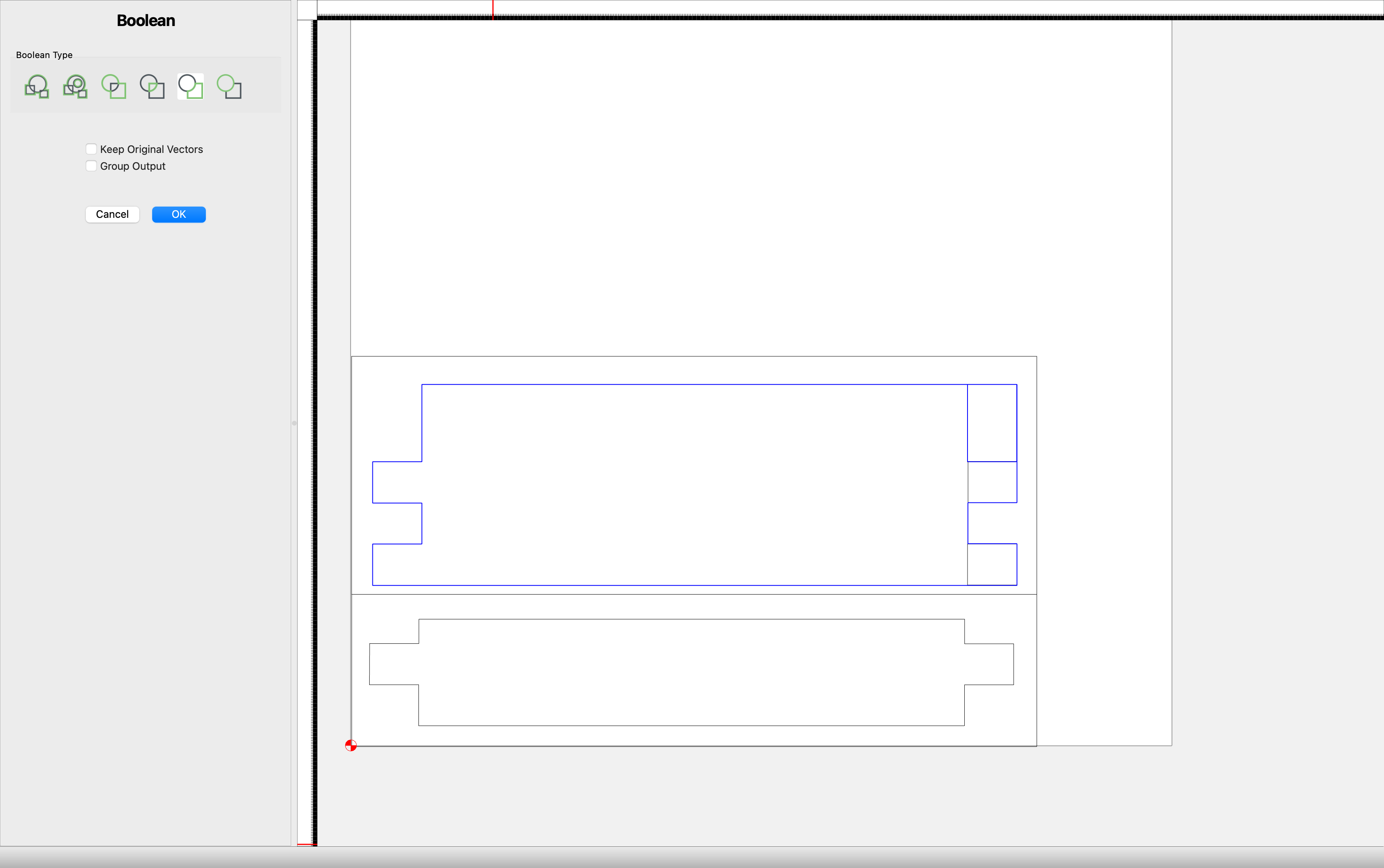
I’m laying out finger joints. There’s probably an easier way, but I’ve been dropping small rectangles onto a bigger rectangle and then doing a boolean subtract to make the fingers. When I draw the small rectangles one at a time they work as expected. In this case I drew three of them then copied and pasted them to the other side of the piece and nothing happens when I try the subtraction. If I delete one of the ones I pasted and draw a new one it works fine.
The shapes are closed, they overlap, and are not, so far as I can determine, part of the same group.
Tried to past a movie of what I did, but that seems not to work.
If you zoom way in, the rectangle in the upper right corner does not overlap with the larger piece, it only overlaps with the smaller rectangle below it. I believe this is the issue.
OK, got it. Seems I didn’t know what “overlap” means. I see the small square as being in very close to 100% overlap with the large rectangle underneath it. When I move it over so that it is only 50% overlapping it does the subtraction in the expected way, as if it wants only a partial overlap to work-- which, reading the dictionary, I discovered is what overlap means-- things can’t be 100% overlapping according to the definition. This would explain why some of my placements worked and others didn’t.