DonT
September 3, 2026, 3:14am
1
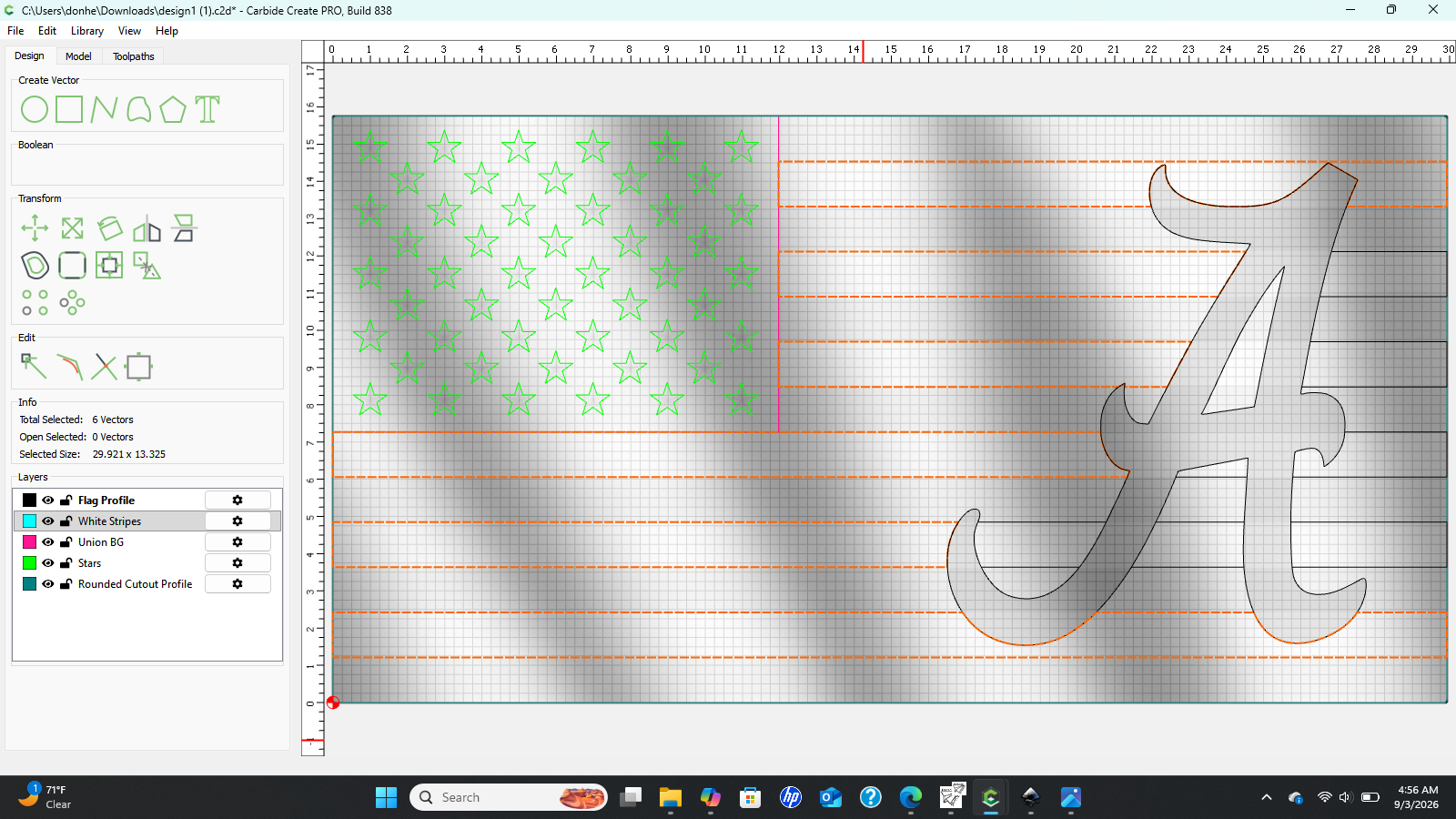
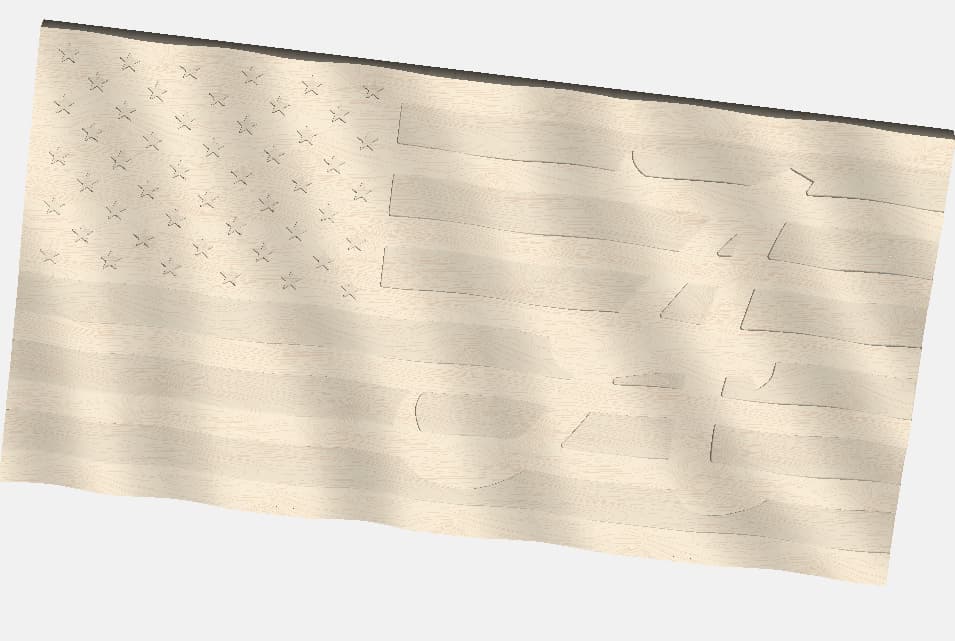
I have a Wavey American Flag STL that I would like to add a A logo to. But when I add the A the white stripes will cut through the A. Any way to make the A the same height but also follow the waves too?
WillAdams
September 3, 2026, 3:20am
2
We have a tutorial on this sort of thing at:
We just uploaded a new video about making a wavy wooden flag with Carbide Create Pro. The process is deceptively simple if you have some very basic computer image editing skills, and we show you the complete process of making this 3D file from scratch.
The Carbide Create Project files, if you want to follow along, are provided here:
https://cutrocket.com/p/685ed914d7888
This one’s for you, @tobwhy
and I covered 3 options at:
as requested on support…
need a bit of help getting the emblem correct.
where the current state is:
[image]
[image]
The drawn geometry runs into the classic arts problem, “figure-ground reversal” and there are three notable approaches which will be examined here:
drawing in geometry so as to adjust the nature of the design so that it may be subtracted en masse
Sub-dividing the emblem and selecting portions of it and applying different treatments to the various design aspects
causing t…
and there is a new option to project a toolpath onto a 3D Model:
We just posted Carbide Create 856 to the beta page . It includes:
(PRO) Engraving toolpaths can now be projected onto the 3D model.
(FIX) Fixed DXF import code to allow degree-4 splines.
(FIX) Fixed specific customer DXF with nonstandard spline/know parameters.
(FIX) Fixed an edge case where a 3D model may not reload correctly.
(INTERNAL) Removed third-party logging and formatting libraries.
For the projected engraving:
The start depth plus the cutting depth is the “maximum depth” the cutte…
DonT
September 3, 2026, 9:58am
3
Thank you for the help. How do you add or turn back on the Layers down below the design area? I added the A to it
WillAdams
September 3, 2026, 10:27am
4
One adjusts the design to match one’s design intent.
c.f.,
Tod1d
September 3, 2026, 11:49am
5
Are you trying to keep the “A” at the same level as the top / darker stripes? And then just cut out the white stripes & stars?
2 Likes